
Navigating the intricacies of cache plugins in WordPress multisite networks can be a challenging endeavor for even the most experienced web administrators. When it comes to managing the performance of multiple websites within a single network, cache plugins can be both a blessing and a curse. While they have the potential to significantly improve load times and user experience, they also come with their fair share of common pitfalls that can cause headaches for webmasters. Understanding and avoiding these pitfalls is essential for maintaining the optimal performance and stability of your WordPress multisite network.
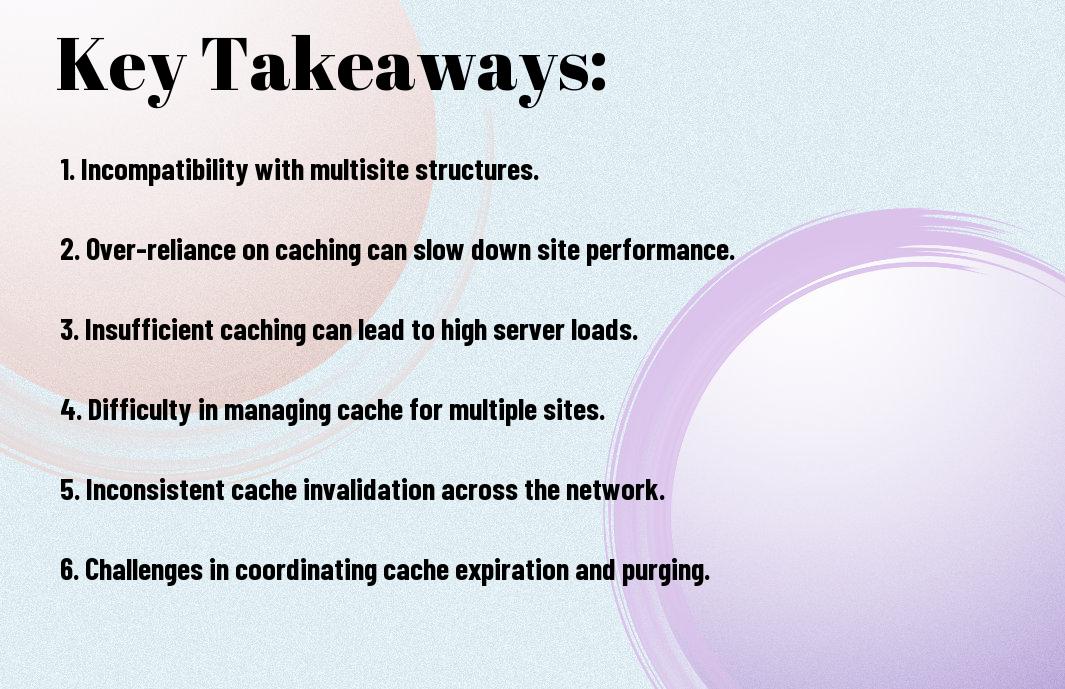
Key Takeaways:
- Compatibility issues: Cache plugins may not be fully compatible with all plugins and themes in a WordPress Multisite network, leading to potential conflicts and performance issues.
- Network-wide performance impact: In a Multisite network, the use of a cache plugin can impact the performance of the entire network, affecting all sites and users within the network.
- Maintenance and updates: Managing and updating cache plugins in a Multisite network can be complex and time-consuming, requiring careful attention to ensure optimal performance and minimal disruption to the network.
Common Misconceptions about Multisite Caching
If you are using a WordPress Multisite network, you may have come across various misconceptions about caching that can impact the performance of your websites. It’s important to understand these misconceptions and avoid falling into common pitfalls. In this chapter, we will debunk some of the most common misconceptions about multisite caching in WordPress.
One Size Fits All Approach
One common misconception about multisite caching is that a one-size-fits-all approach will work for all websites within the network. This is dangerous because each website within the network may have different requirements based on factors such as traffic volume, content updates, and user interactions. Using the same cache settings for all websites can negatively impact the performance of some websites while providing suboptimal results for others. It’s important to customize the caching strategy for each website within the multisite network to ensure optimal performance.
Misunderstanding Cache Invalidation
Common misunderstanding about cache invalidation can lead to inefficient caching strategies within a WordPress Multisite network. Some users may believe that once a page is cached, it will remain static for all users, regardless of any changes made to the content. This misunderstanding can result in users seeing outdated content, which can negatively impact the user experience. It’s important to have a clear understanding of cache invalidation and implement strategies to ensure that content updates are reflected accurately across all websites within the network.
Misconceptions about cache invalidation can lead to website visitors seeing outdated content, which can impact user experience and negatively affect the credibility of the websites within the network.

Technical Challenges in Multisite Caching
Your WordPress multisite network presents unique technical challenges when it comes to implementing caching solutions. These challenges can range from configuration complexity to scalability issues. To better understand how caching works in a multisite environment, refer to the Cache – Advanced Administration Handbook for advanced guidance.
Configuration Complexity
Challenges arise when configuring caching plugins in a multisite network due to the complex nature of managing multiple sites. Each site may have different caching requirements based on its content, plugins, and themes. This can lead to conflicts in cache settings and the need for extensive customization to ensure optimal performance across all network sites.
Scalability Issues
For WordPress multisite networks, scalability becomes a major concern when implementing cache plugins. As the network grows with more sites, the demand for server resources and efficient cache management increases. Any inefficiencies in cache invalidation and storage can result in performance bottlenecks and a degraded user experience for all network sites. It’s important to carefully consider the scalability of your caching solution to avoid these issues.
Best Practices for Managing Cache Plugins in Multisite
To ensure optimal performance and avoid common pitfalls when using cache plugins in WordPress Multisite networks, it’s essential to follow best practices. Implementing the right strategies can help you maximize the benefits of caching while minimizing potential issues. For a comprehensive overview of WordPress Multisite, including best practices for managing cache plugins, check out WordPress Multisite: The Everything-You-Need-To-Know Guide.
Network-Wide Settings vs Site-Specific Caching
Site-specific caching allows you to customize caching settings for individual sites within your WordPress Multisite network, whereas network-wide settings apply the same caching rules to all sites. It’s important to consider the specific needs of each site when deciding between network-wide and site-specific caching. Site-specific caching provides more flexibility and control over caching settings, but it also requires careful monitoring to ensure optimal performance across multiple sites. On the other hand, network-wide settings can simplify caching management, but they may not be suitable for sites with unique caching requirements.
Monitoring and Debugging Cache Performance
An essential part of managing cache plugins in a WordPress Multisite network is monitoring and debugging cache performance. Regularly monitoring cache performance allows you to identify and address any issues that may arise, such as caching conflicts or outdated content. Implementing debugging tools can help you pinpoint the root causes of performance issues and make necessary adjustments to caching settings to improve overall site performance.
Practices such as regular performance monitoring, utilizing debugging tools, and addressing caching conflicts are crucial for maintaining optimal cache performance in a WordPress Multisite network.
Common Pitfalls When Using Cache Plugins in WordPress Multisite Networks
Drawing together the complexities of managing cache plugins in WordPress multisite networks, it becomes evident that there are several common pitfalls that users must navigate. These include issues with inconsistent caching across subsites, compatibility problems with certain themes and plugins, and the potential for performance bottlenecks when not configured properly. Additionally, the lack of granular control and insufficient documentation can also present challenges for administrators. It is crucial for users to thoroughly research and test cache plugins before implementing them in a multisite network, as well as staying vigilant for updates and potential conflicts. By remaining aware of these common pitfalls and taking a proactive approach to managing cache plugins, administrators can ensure a more seamless and efficient user experience for their WordPress multisites.
FAQ
Q: What are cache plugins in WordPress Multisite Networks?
A: Cache plugins are tools used to improve the performance and speed of websites in WordPress Multisite Networks by storing static versions of the website’s content and delivering it to users more quickly.
Q: What are the common pitfalls when using cache plugins in WordPress Multisite Networks?
A: Common pitfalls when using cache plugins in WordPress Multisite Networks include compatibility issues with other plugins, incorrect configuration leading to website errors, and issues with caching dynamic content.
Q: How can compatibility issues with other plugins affect cache plugins in WordPress Multisite Networks?
A: Compatibility issues with other plugins can cause conflicts that result in website malfunctions, slow loading times, or even crashes. It’s important to test different plugins together and ensure they work well with the cache plugin.
Q: What are the potential errors that can arise from incorrect configuration of cache plugins in WordPress Multisite Networks?
A: Incorrect configuration of cache plugins can lead to errors such as broken links, missing content, or even white screens of death. It’s crucial to carefully follow the recommended settings and regularly monitor the website for any issues.
Q: How can caching dynamic content present challenges in WordPress Multisite Networks?
A: Caching dynamic content, such as user-specific information or personalized pages, can be challenging in WordPress Multisite Networks. Cache plugins may need additional customization or advanced configurations to properly handle dynamic content without causing errors.